> For the complete documentation index, see [llms.txt](https://docs.getsphere.com/llms.txt). Markdown versions of documentation pages are available by appending `.md` to page URLs; this page is available as [Markdown](https://docs.getsphere.com/features/integrations/prebuilt-connectors/nue-integration.md).
# Nue Integration
Integrating Nue with Sphere enables seamless transaction data import and live tax calculation within Nue.io quotes, orders, and invoices.
This guide provides step-by-step instructions on generating an API key in Nue, linking it to Sphere for a secure integration.
It also covers configuring the Sphere Tax API within Nue.io to ensure accurate tax calculations.\
\
**Note:** If you are attempting to connect to a Nue sandbox, you will need to use a corresponding Sphere test organization.
### Part 1: Configure Data Synchronization from Nue.io to Sphere
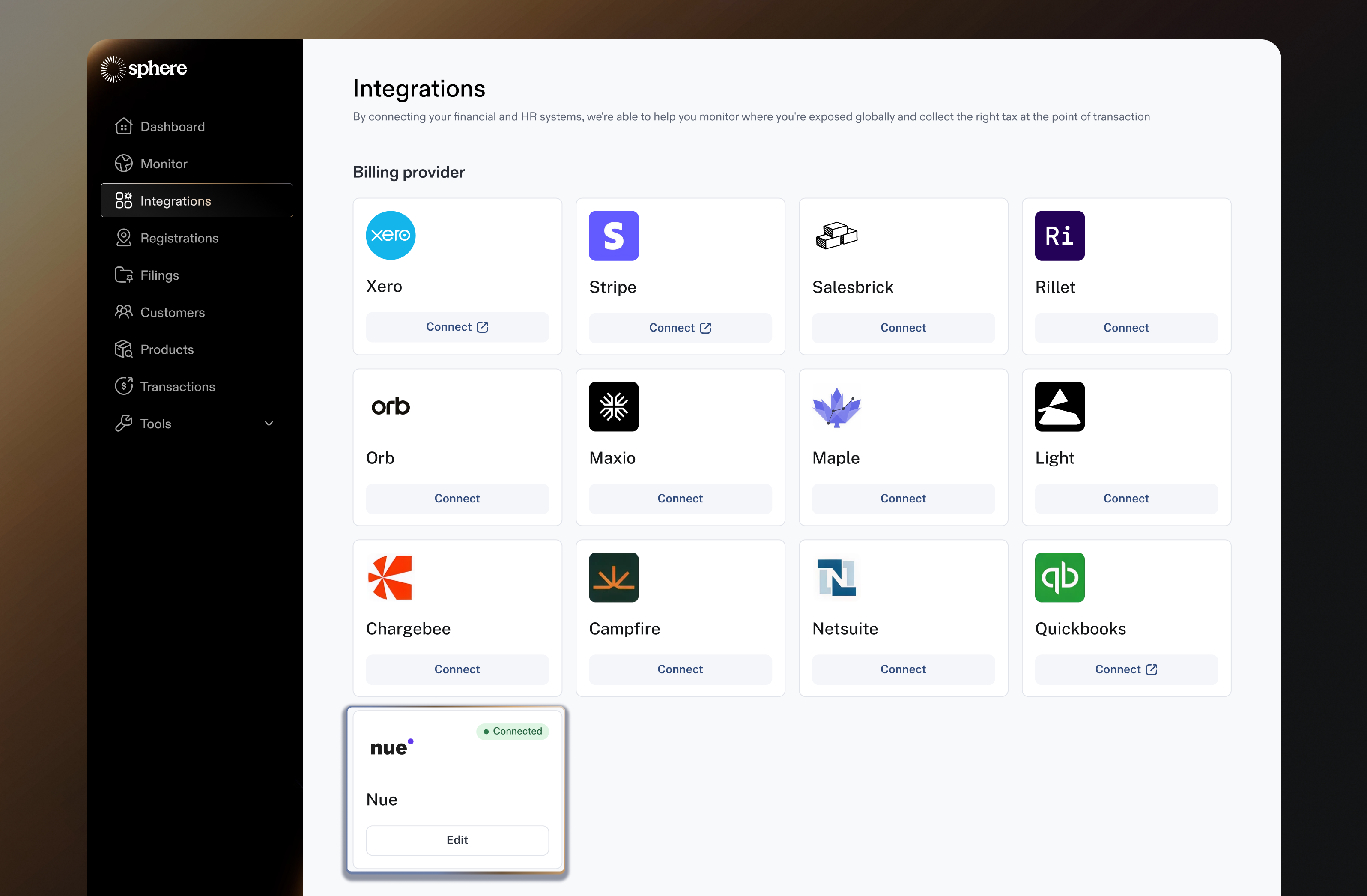
1. In the Sphere account, click on the Connect button on the Nue tile.
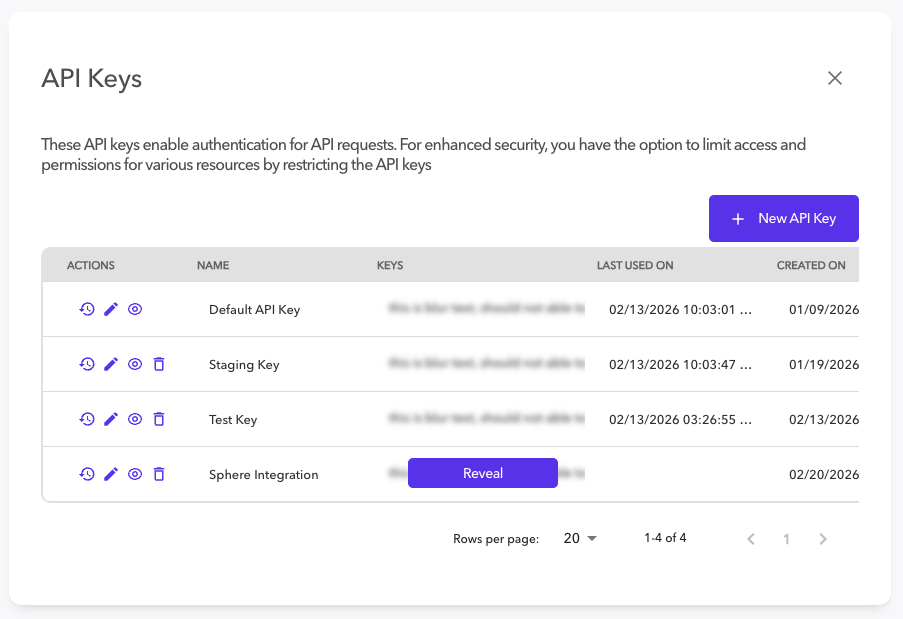
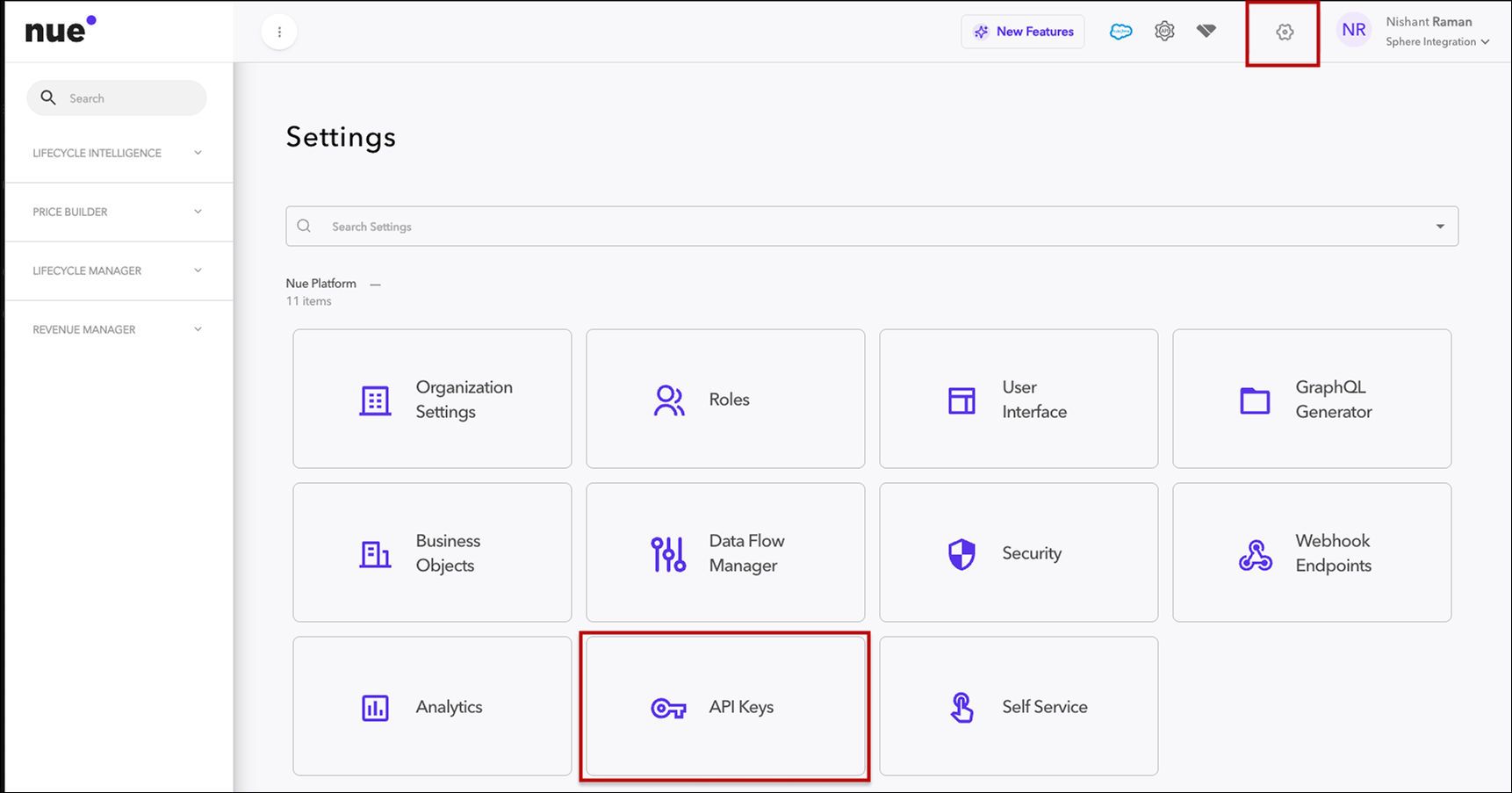
2. In another window, open your Nue.io dashboard and navigate to **System Settings** and click **API Keys**
3. Click the **+ New API Key** button and select the **System Administrator** assigned role
4. Once you click **Confirm** you will be able to see the API Key you created by clicking **Reveal**
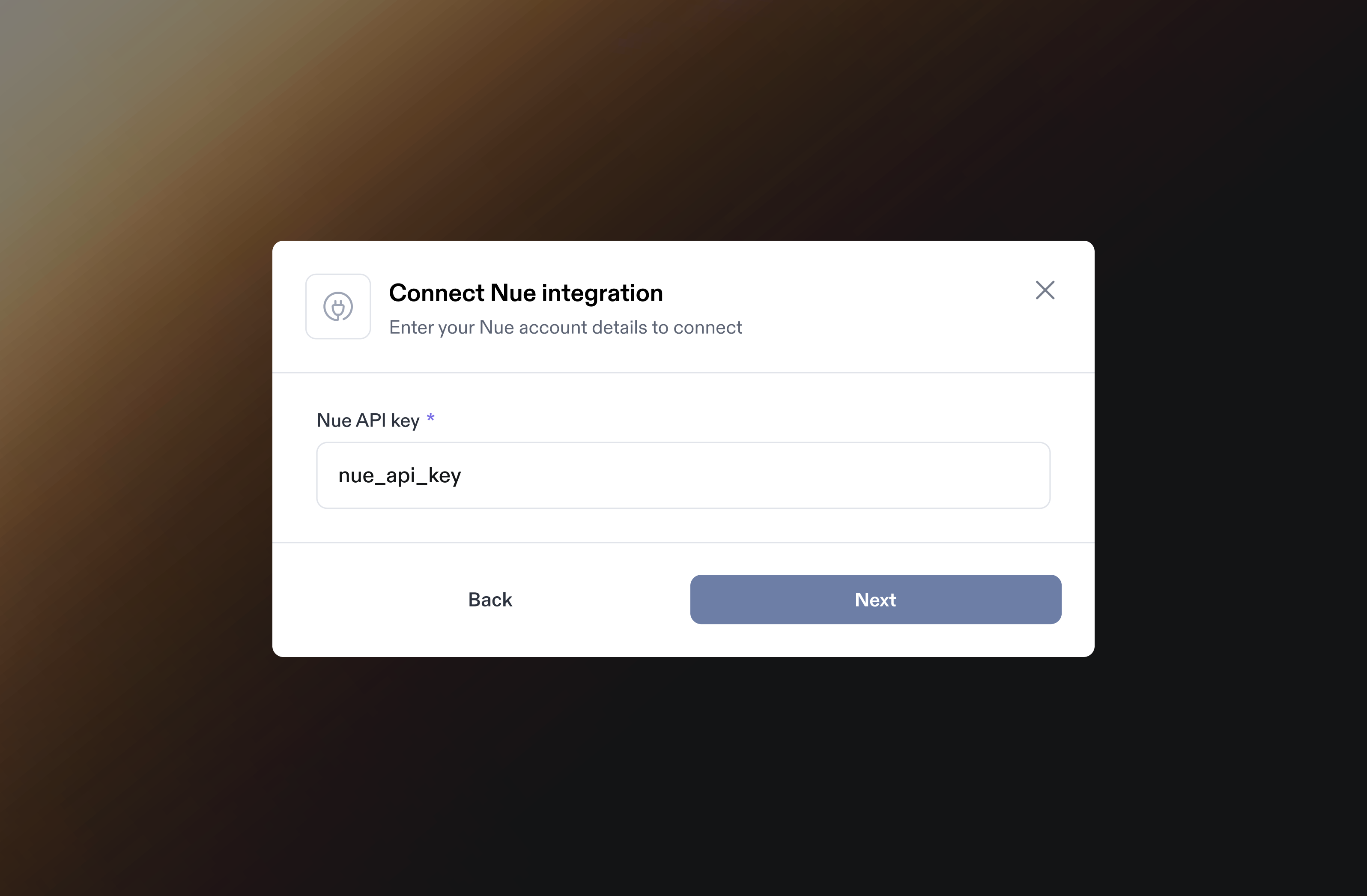
5. Go back to your Sphere account and enter the API Key. Click **Next** to complete the data synchronization setup.
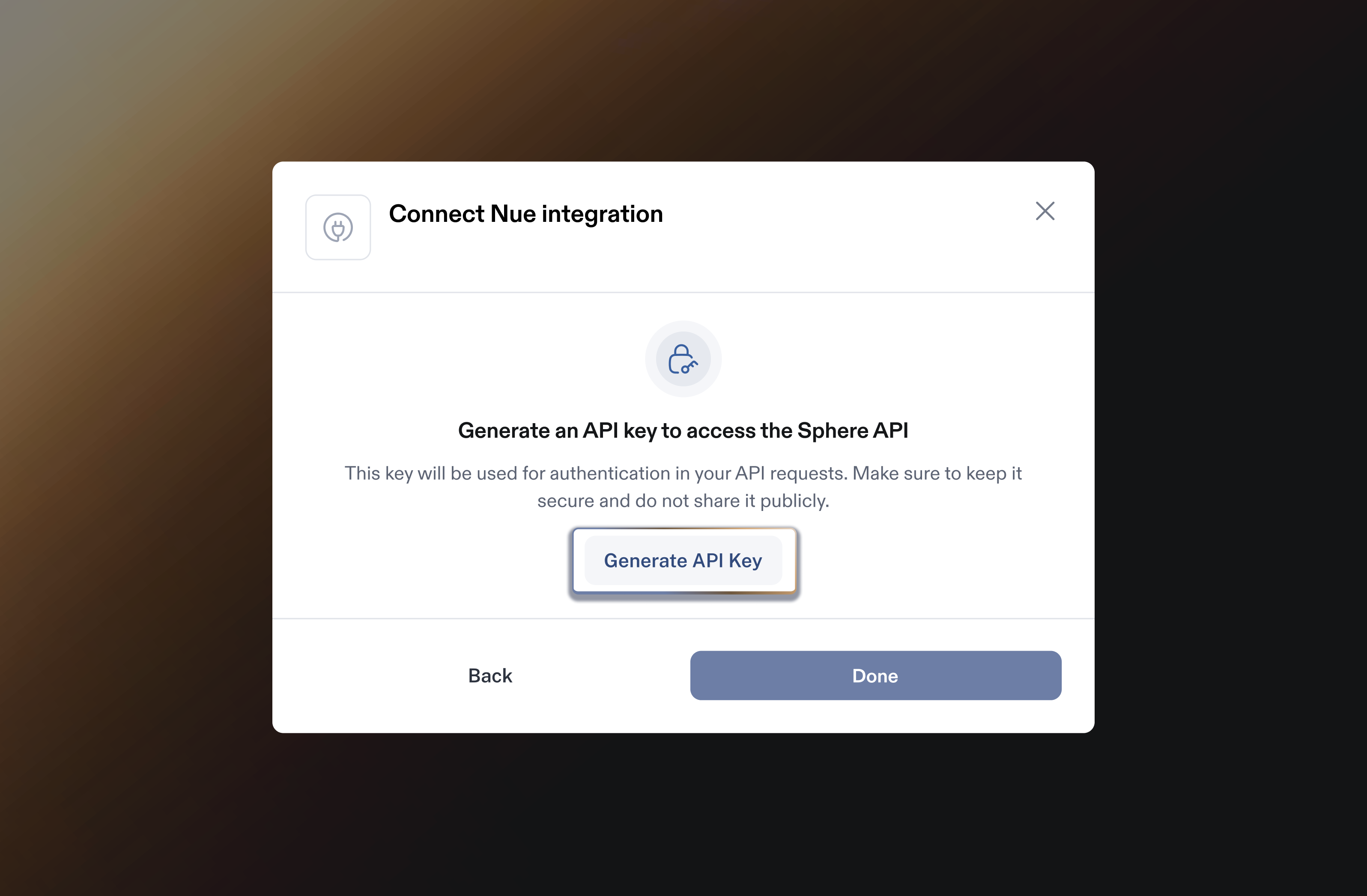
6. On the next step, you will be prompted to generate a Sphere API Key. Save this API Key for Part 2 below.
### Part 2: Configure Sphere Tax API Key for Tax Calculation
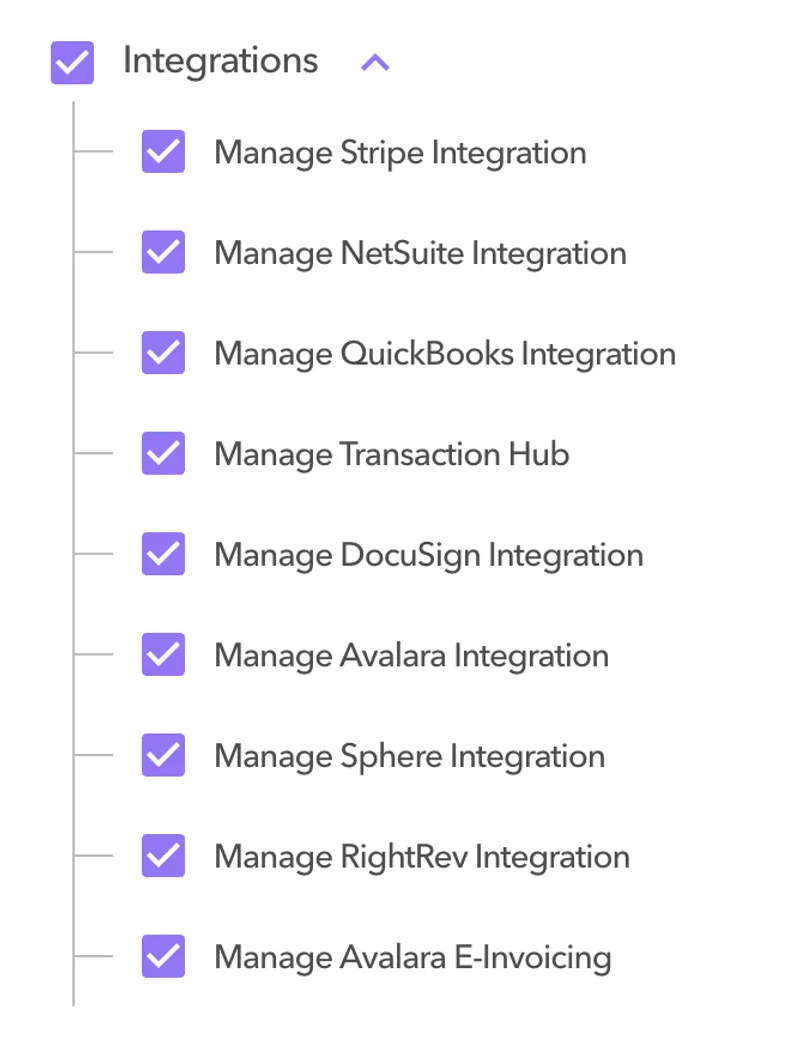
1. Navigate to **Settings → Roles** in Nue and ensure relevant admin roles have the **Sphere integration** permission enabled.
2. Navigate to Settings > Integration Overview > Sphere integration
1. Locate the **Sphere** card; it will display as **Not Connected** for a fresh tenant.
3. Click on the Wrench to open configuration panel or go directly to Settings > Sphere
4. You will land on the **Connect to Sphere Tax** panel, which prompts for the API key and offers **Test** and **Activate** buttons.
5. **Enter and test Sphere API key**
1. Paste the **Sphere API token** from Part 1 above into the token field
2. Click **Test**:
1. If the key is invalid, you’ll see an authentication error: “Integration authentication failed. Please verify API key.”
2. Fix and re‑test until the connection succeeds.
6. After a successful test, click **Activate.**
1. On success, the Sphere card status updates to **Connected/Active** and Nue will start routing tax calls to Sphere.
.png?alt=media&token=66272c5e-0df7-4183-9982-ce97a7d24238)